|
|
|
|
DiskSavvy Server Show Disk Usage History
System and storage administrators are provided with the ability to analyze how disk space usage is changing over time. In order to be able to perform the disk space usage history trend analysis, the user needs to setup one or more periodic disk space analysis commands or manually perform multiple disk space usage analysis operations over time. 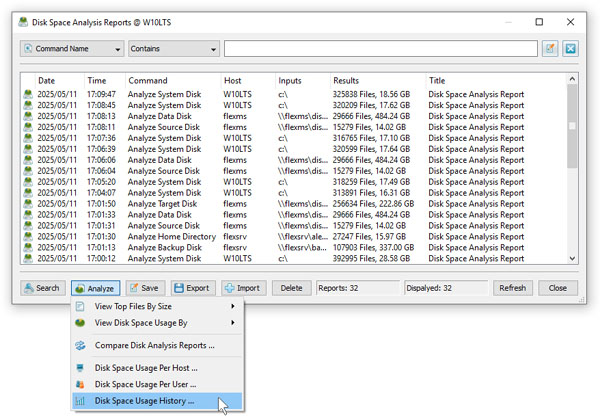
With multiple disk usage reports saved in the report database, press the 'Reports' button located on the main status page, press the 'Analyze' button, select the 'Analyze Disk Space Usage History' option and press the 'Analyze' button. DiskSavvy Server will generate a list of charts - one for each set of directories in each analyzed server and/or NAS storage device. 
The top-left side of the history analysis page shows the statistics for the currently selected history chart. The top-right side shows the history line chart according to the currently selected chart and chart units. The three bottom-side panes provide the ability to filter charts by the command name, processed directories and/or the host name of the server or NAS storage device. 
In order to save the currently displayed history chart to a graphical PDF report, press the 'Save' button and then click on the report file link to download the report file.
|
DiskSavvy News
|